
Flexoptix4.0.0 - Get APK
You'll be able to download in few seconds.
Publisher Description
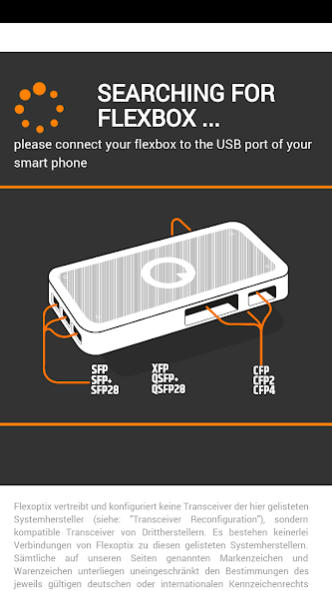
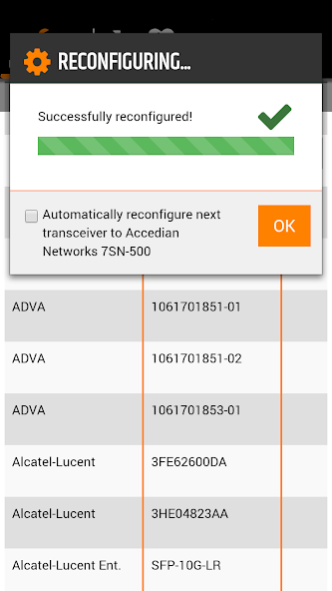
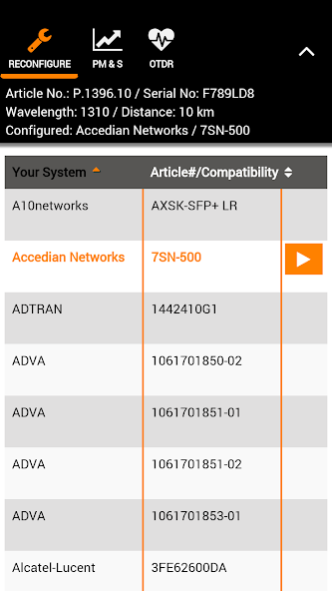
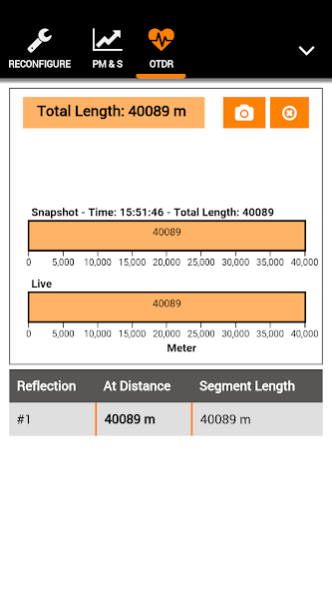
Flexoptix is an implementation of Flexoptix’ online functionalities “Power Meter and Source”, “Transceiver Reconfiguration” and “Distance Analyzer” for mobile devices running on Android and supporting USB OTG. Simply connect your Flexbox via USB and start the app.
You can reconfigure any Flexoptix transceiver to your desired configuration, measure your optical fiber's distance using a microOTDR transceiver, as well as measure any Flexoptix transceiver’s receive level or - by activating its laser - transmit power level.
Also it is possible to set up electric loops which allows you to fully test and analyse your link. The TX and RX high speed lanes of each transceiver slot (SFP+, XFP and QSFP+) of each Flexbox are looped. the PCB layout has been tested for data rates of 10G (SFP/SFP+) as well as 4x10G (QSFP+).
Features:
• Full support for Flexboxes V2 and V3
• SFP/SFP+, XFP and QSFP+ support with Flexbox V4
• Compatible with transceiver types SFP/SFP+, XFP and QSFP+
• Reconfigure your transceiver to any compatible configuration
• Read out latest current, voltage and temperature values
• Plot receive and transmit power levels to a graph
• Enable and disable the lasers for detailed measurements
• Use Power Meter and Source as well as our OTDR feature offline
• Log your transceivers' measured RX and TX power level values and export them to .csv or .json files on your device
• Measure an optical fiber's distance using a microOTDR SFP transceiver
Hint: You will need a USB OTG cable.
To get a Flexbox, go to www.flexoptix.net
Flexoptix requires the following permissions:
•
Network communication:
Full network access
•
Network communication:
View network connections
•
Network communication:
View Wi-Fi connections
(These permissions are necessary to communicate with our servers and to enable/disable the offline mode)
•
Storage:
Modify or delete the contents of your external storage
•
Storage:
Read the contents of your external storage
(These permissions are necessary to export the Power Meter and Source logs to your device)
Supported Android versions:
• min 4.1 (JellyBean) or above
About Flexoptix
The company that develops Flexoptix is Flexoptix GmbH. The latest version released by its developer is 4.0.0.
To install Flexoptix on your Android device, just click the green Continue To App button above to start the installation process. The app is listed on our website since 2023-11-07 and was downloaded 0 times. We have already checked if the download link is safe, however for your own protection we recommend that you scan the downloaded app with your antivirus. Your antivirus may detect the Flexoptix as malware as malware if the download link to net.flexoptix.android is broken.
How to install Flexoptix on your Android device:
- Click on the Continue To App button on our website. This will redirect you to Google Play.
- Once the Flexoptix is shown in the Google Play listing of your Android device, you can start its download and installation. Tap on the Install button located below the search bar and to the right of the app icon.
- A pop-up window with the permissions required by Flexoptix will be shown. Click on Accept to continue the process.
- Flexoptix will be downloaded onto your device, displaying a progress. Once the download completes, the installation will start and you'll get a notification after the installation is finished.
Program Details
System requirements
Download information
Pricing
Version History
version 4.0.0
posted on 2023-11-07
This app has been retired to make way for our new and improved FLEXOPTIX Android app.
version 3.3.1
posted on 2023-09-21
- Bug fixes and performance improvements.
version 3.3.0
posted on 2022-10-26
Updated target version to Android 12
version 3.2.0
posted on 2021-04-29
Improved a specific performance issue
version 3.1.1
posted on 2020-08-27
Fixed Flexbox connection bug
version 3.1.0
posted on 2020-07-15
Fixed some issues with Power Meter & Source.
version 3.0.11
posted on 2020-06-02
Updated target version to Android 10
version 3.0.8
posted on 2018-09-19
Fixed connection issues.
version 3.0
posted on 2016-10-20
- All new design to go with our new web shop and home page!
Disclaimer
External Download
We do not host Flexoptix on our servers. We did not scan it for viruses, adware, spyware or other type of malware. This app is hosted by Galad and passed their terms and conditions to be listed there. We recommend caution when installing it.
The APK Download link for Flexoptix is provided to you by apps112.com without any warranties, representations or guarantees of any kind, so access it at your own risk.
If you have questions regarding this particular app contact the publisher directly. For questions about the functionalities of apps112.com contact us.
